Weather
1 / 2
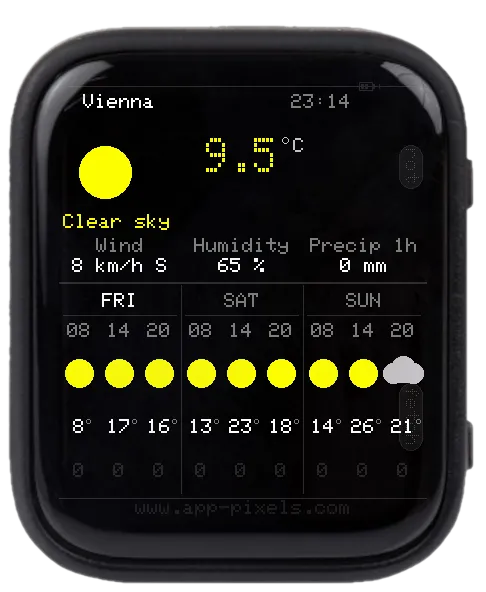
Pulls current conditions and a multi-day forecast over WiFi and renders them on the AMOLED.
Controls
- BOOT — cycle through configured locations
- PWR — refresh now
setup.txt keys
Mandatory
SSID/PASSWORD— WiFiLOCATION_1— city name, e.g.Vienna
Optional
SSID2/PASSWORD2,SSID3/PASSWORD3— WiFi fallbacksLOCATION_2,LOCATION_3— extra cities (cycle with PWR)WEATHER_API— provider id (open-meteodefault, no key needed)WEATHER_API_KEY— required only for paid providers (open-weather)WEATHER_REFRESH_MIN— refresh interval in minutes (default10)TIMEZONE— POSIX TZ string
Editing setup.txt
The device reads /setup/setup.txt from the SD card on boot. Download a working sample — covers every app — and edit the keys you need.
Don't want to eject the card? Use the USB Stick app (mounts the SD card as a USB drive over USB-C) or the Filehub app (edit over WiFi).
Supported Devices
Waveshare ESP32-S3 1.8" AMOLED Touch
Tags
#tool#wifi